 AI Mobile Coders
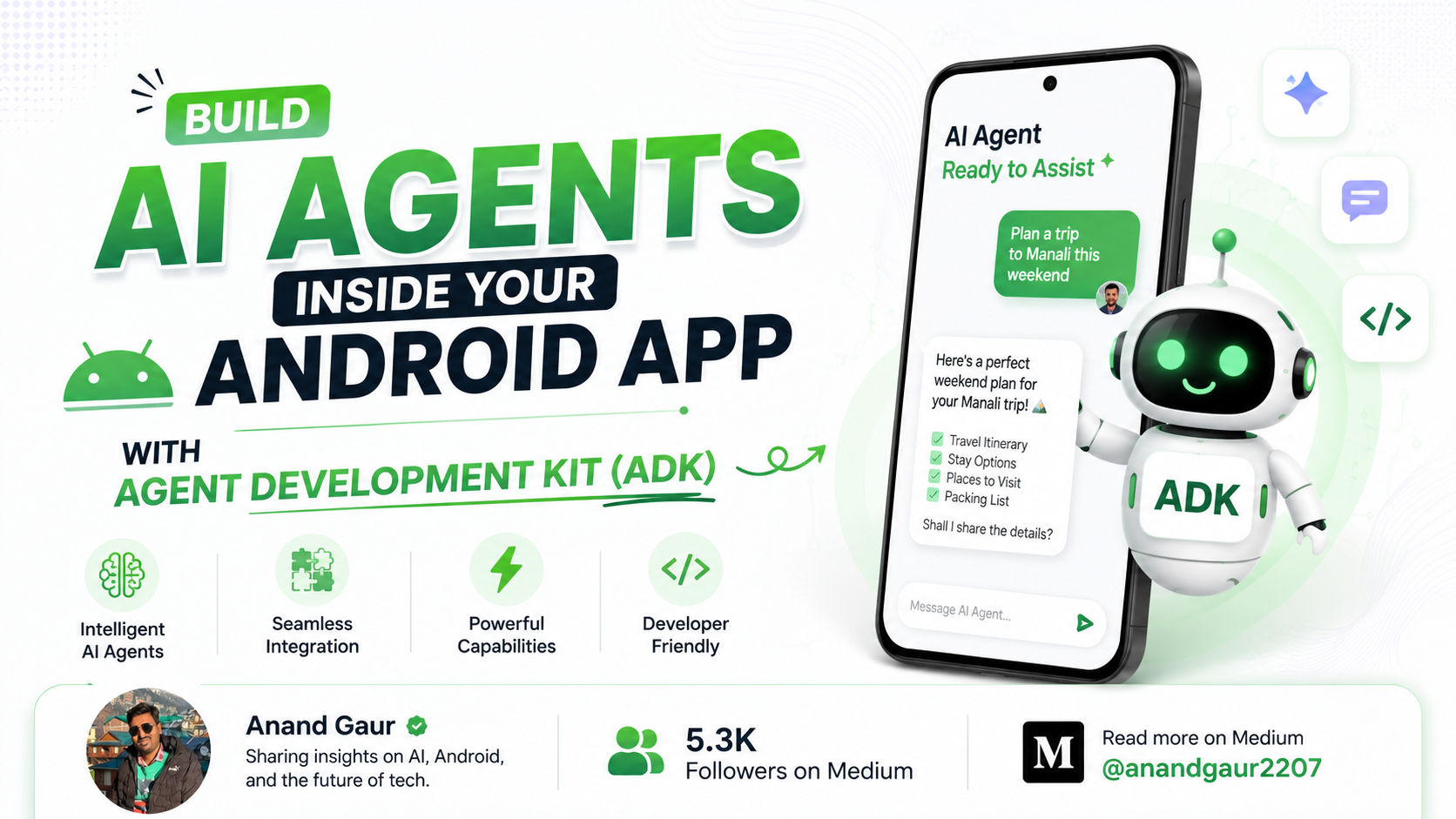
Build AI Agents Inside Your Android App with Agent Development Kit (ADK)
Google just made it possible to put real, thinking AI agents directly inside your Android app using Kotlin. Here’s everything you need to know, explained , with working code.

Why AI Agents Change Everything for Android Apps
Imagine your Android app could do this: a user types “My flight got cancelled, sort it out” and the app doesn’t just reply with text. It actually checks the user’s booking, finds alternative flights, verifies their travel documents, and walks them through the fix. Step by step. On its own.
That is the difference between a chatbot and an AI agent and until very recently, building the second one inside an Android app was genuinely hard.
For the last couple of years, “AI in apps” mostly meant one thing: you typed something, the app sent it to a server, and a chatbot replied. Useful, but limited. The AI could talk, but it couldn’t do. It couldn’t check your files, call your functions, or chain multiple steps together to actually finish a task.
That era is ending. An AI agent doesn’t just answer it acts. It decides which tool to use, calls that tool, looks at the result, and then decides the next step. Think of the difference between someone who answers your question versus someone who solves your problem.
On May 21, 2026, Google made this practical for Android developers. It released the Agent Development Kit (ADK) for Kotlin along with a specialized ADK for Android library. For the first time, you can build these agents in native Kotlin and run them inside your Android app some parts in the cloud for heavy reasoning, and some parts entirely on the device, with no internet needed and no private data ever leaving the phone.
The best part? You don’t need to be an AI expert. If you can write a Kotlin function, you can build an agent.
This blog takes you all the way from “what even is this” to writing a working multi-agent system, with code you can actually run. Let’s go.
Part 1: What Is the Agent Development Kit (ADK)?
The Agent Development Kit (ADK) is an open-source framework from Google for building AI agents and “framework” is the important word here.
Let’s break that down with an analogy. Building an AI agent from scratch is like building a house. You could make your own bricks, mix your own cement, and wire your own electricity but it would take forever and probably collapse. A framework is like getting pre-made bricks, pipes, and wiring. You still design the house, but the hard, repetitive groundwork is done for you.
That’s what ADK does. Building an agent involves a lot of messy, invisible work:
- Talking to the AI model and parsing its responses
- Deciding when the agent should call a tool, and actually calling it
- Feeding the tool’s result back to the model
- Remembering the conversation so far (context)
- Handling errors when something fails
- Coordinating multiple agents that work together
ADK handles all of that plumbing for you. You just describe what your agent should do and ADK takes care of how to wire it together. With only a few lines of Kotlin, you get a working agent.
A quick bit of history
ADK isn’t brand new. Google first released it for Python, then brought it to Java, Go, and TypeScript. Each version reached a stable release and developers started building real products with it.
What’s new announced on May 21, 2026 is ADK for Kotlin (version 0.1.0), plus a special sibling called ADK for Android. This is a big deal for Android developers for two reasons:
- Kotlin is the native language of Android. Now you can build agents in the same language you already use for your app no Python server, no separate stack.
- ADK for Android can run agents on the device itself. Using Gemini Nano (Google’s on-device AI model, already available on 140+ million Android phones), an agent can think and act without any internet connection — keeping the user’s data completely private.
In one line: ADK is a toolkit that turns the hard problem of “build an AI agent” into a few lines of Kotlin code.
The five concepts you need to know
Before writing any code, you need to understand five small building blocks. Once these click, everything else in this blog is easy.
1. Agent
The agent is the worker. It’s an AI model wrapped with a name, a description, and a set of instructions that tell it how to behave. You give it a goal and a personality, and it figures out the rest.
2. Model
The model is the actual “brain” the LLM doing the thinking. In ADK Kotlin you can use a cloud model (like Gemini in the cloud) or an on-device model (Gemini Nano, running locally on the phone). You can swap models with one line.
3. Tool
A tool is a function you write that gives the agent a real-world power. By itself, a model can only produce text. A tool lets it do things fetch the weather, read a file, query a database, calculate something. You write a normal Kotlin function and tag it with @Tool. The agent decides when to call it.
4. Sub-agent (Multi-agent systems)
You don’t have to build one giant agent. You can build a team. A root agent acts like a manager and delegates specific tasks to specialized sub-agents. One sub-agent handles hotels, another handles car rentals, another validates documents. This is called a multi-agent system, and it’s where ADK really shines.
5. Runner & Session
The Runner is what actually executes the agent and streams back its responses. The Session is the agent’s short-term memory it remembers the current conversation so a follow-up question makes sense.
That’s the whole mental model: a Runner runs an Agent, the Agent uses a Model to think, Tools to act, Sub-agents to delegate, and a Session to remember.
Part 2: Why ADK for Kotlin and Android Specifically?
A fair question Python ADK already exists. Why does the Kotlin/Android version matter?
1. It runs on the device. Gemini Nano is now available on over 140 million Android devices. ADK for Android lets your agent run AI locally, with no network call. That means it works offline, responds faster, and most importantly private data never leaves the phone.
2. Hybrid orchestration. This is the clever part. You can use a powerful cloud model as the main orchestrator (for heavy reasoning) and have it offload sensitive tasks to on-device sub-agents. ADK automatically adapts each agent to the correct cloud or on-device API. Best of both worlds: cloud-level intelligence, on-device privacy.
3. It’s native Kotlin. The agent code is the same whether you target a backend server or an Android app. Only the Gradle dependency and how you launch the agent change. If you know Kotlin, you already know most of this.
4. Privacy-sensitive use cases become possible. Health data, financial documents, personal photos things you’d never want to send to a server can now be processed by an AI agent that runs entirely on the user’s phone.
Part 3: Practical Implementation — Step by Step
Time to build. We’ll start with the simplest possible agent and grow it into a multi-agent system. You’ll need Android Studio and an Android project with compileSdk 34+ and minSdk 24+.
Step 1: Add the Dependencies
Open your module’s build.gradle.kts and add the ADK Android dependency plus the KSP annotation processor (KSP is what auto-generates code from your @Tool annotations).
plugins {
    id("com.android.application")
    kotlin("android")
    id("com.google.devtools.ksp") version "2.1.20-2.0.1"
}

android {
    namespace = "com.example.agent"
    compileSdk = 34

    defaultConfig {
        applicationId = "com.example.agent"
        minSdk = 24
        targetSdk = 34
    }
}

dependencies {
    implementation("com.google.adk:google-adk-kotlin-core-android:0.1.0")
    ksp("com.google.adk:google-adk-kotlin-processor:0.1.0")
}

kotlin {
    jvmToolchain(17)
}
Important: For Android, use google-adk-kotlin-core-android not the plain google-adk-kotlin-core (that one is for backend/JVM projects). Don't add both. The Android artifact includes the full agent API plus Android-specific model support.
Step 2: Define a Tool
A tool is just a Kotlin function with two annotations. @Tool marks the function as something the agent can call. @Param describes each argument in plain English the model reads these descriptions to decide when and how to use the tool.
Here’s a simple service that tells the time in a city (the time is mocked for now in a real app you’d call an actual API):
package com.example.agent

import com.google.adk.kt.annotations.Param
import com.google.adk.kt.annotations.Tool

class TimeService {
    /** A tool that returns the current time for a given city. */
    @Tool
    fun getCurrentTime(
        @Param("Name of the city to get the time for") city: String
    ): Map<String, String> {
        return mapOf("city" to city, "time" to "The time is 10:30am.")
    }
}
Notice how the @Param text is a real sentence. Treat these descriptions seriously they are how the AI understands your tool.
Step 3: Define the Agent
Now we create an LlmAgent. We give it a name, a description, a model, an instruction (its personality and rules), and the tools it's allowed to use. The .generatedTools() call hands the agent all the @Tool-annotated functions from your service.
package com.example.agent

import com.google.adk.kt.agents.Instruction
import com.google.adk.kt.agents.LlmAgent
import com.google.adk.kt.models.Gemini

object HelloTimeAgent {
    @JvmField
    val rootAgent = LlmAgent(
        name = "hello_time_agent",
        description = "Tells the current time in a specified city.",
        model = Gemini(
            name = "gemini-flash-latest",
            apiKey = System.getenv("GOOGLE_API_KEY")
                ?: error("GOOGLE_API_KEY environment variable not set."),
        ),
        instruction = Instruction(
            "You are a helpful assistant that tells the current time in a city. "
                + "Use the 'getCurrentTime' tool for this purpose."
        ),
        tools = TimeService().generatedTools(),
    )
}
Security warning read this twice: Never hardcode an API key in a shipped app, and never read it from an environment variable in production client code. Anyone can extract it from your APK. For real apps, call cloud models through your own backend or through Firebase AI Logic, so the key never lives on the device. The code above is fine for local experiments only.
Step 4: Run the Agent
To actually execute the agent on a device, you use an InMemoryRunner together with an InMemorySessionService. The runner streams back events you collect them inside a coroutine (for example, in a ViewModel).
import com.google.adk.kt.runners.InMemoryRunner
import com.google.adk.kt.sessions.InMemorySessionService
import com.google.adk.kt.types.Content
import com.google.adk.kt.types.Part
import com.google.adk.kt.types.Role
import kotlinx.coroutines.launch

// Create a session service and a runner
val sessionService = InMemorySessionService()
val runner = InMemoryRunner(
    agent = HelloTimeAgent.rootAgent,
    sessionService = sessionService,
)

// Call the agent from a coroutine (e.g. inside a ViewModel)
scope.launch {
    runner.runAsync(
        userId = "user-123",
        sessionId = "session-123",
        newMessage = Content(
            role = Role.USER,
            parts = listOf(Part(text = "What time is it in New York?")),
        ),
    ).collect { event ->
        val text = event.content?.parts?.firstOrNull()?.text
        if (!text.isNullOrBlank()) {
            // Update your UI with the agent's response here
        }
    }
}
That’s a complete, working agent. The user asks a question, the agent realizes it needs the time, calls your getCurrentTime tool, and replies. You've built your first AI agent.
Step 5: Go Fully On-Device with Gemini Nano
Everything above used a cloud model. Now let’s make it run entirely on the phone — no internet, full privacy.
Instead of Gemini, you create a GenaiPrompt model backed by ML Kit's on-device GenerativeModel (which uses Gemini Nano through AICore):
import com.google.adk.kt.agents.Instruction
import com.google.adk.kt.agents.LlmAgent
import com.google.adk.kt.models.mlkit.GenaiPrompt
import com.google.mlkit.genai.prompt.GenerativeModel

// Initialize the ML Kit on-device model
val generativeModel: GenerativeModel = /* ... initialize using ML Kit ... */

val onDeviceModel = GenaiPrompt.create(
    generativeModel = generativeModel,
    name = "gemini-nano",
)

val agent = LlmAgent(
    name = "on_device_agent",
    model = onDeviceModel,
    instruction = Instruction("You are a helpful assistant."),
)
The agent definition barely changed only the model line. That's the beauty of ADK: swap cloud for on-device with one line.
Step 6: Build a Multi-Agent System
This is where agents become powerful. Instead of one agent doing everything, you build a team: a root “orchestrator” that delegates to specialized sub-agents.
First, a specialized sub-agent with its own tool:
class ImprobabilityDriveService {
    /** Calculates the improbability of a given event. */
    @Tool
    fun calculateImprobability(
        @Param("The event to calculate the improbability for")
        event: String
    ): String {
        return "The improbability of '$event' is approximately 42 to 1 against."
    }
}

val heartOfGoldAgent = LlmAgent(
    name = "HeartOfGold",
    description = "Handles improbability drive queries.",
    model = Gemini(apiKey = apiKey, name = "gemini-2.5-flash"),
    instruction = Instruction(
        """
        You are the ship computer of the Heart of Gold.
        You are cheerful, helpful, and slightly annoying.
        Use the Infinite Improbability Drive to answer probability questions.
        """.trimIndent()
    ),
    tools = ImprobabilityDriveService().generatedTools(),
)
Now the root agent, which uses the sub-agent. Its job is mostly routing deciding who should handle the request:
val rootAgent = LlmAgent(
    name = "MissionControl",
    description = "The central router for space queries.",
    subAgents = listOf(heartOfGoldAgent),
    model = Gemini(apiKey = apiKey, name = "gemini-2.5-flash"),
    instruction = Instruction(
        """
        You are Mission Control, the central hub for all communications.
        Your main job is to route the user's query to the right agent.
        - If the query is about improbability or the Heart of Gold,
          transfer to `HeartOfGold`.
        - Otherwise, respond directly with a professional persona.
        """.trimIndent()
    ),
)
When the user asks an improbability question, MissionControl recognizes it and delegates to HeartOfGold, which calls its own tool and replies. You didn't write any "if/else routing" logic the agent reasons about it. That's the leap from a chatbot to an agent system.
Part 4: A Real Example — The Trip Assistant
At Google I/O 2026, the team demoed a real ADK-powered in-app trip assistant. It’s worth understanding because it shows the hybrid pattern in action.
Here’s how it works when a traveler hits a problem:
- The cloud orchestrator talks to the user and figures out what went wrong. It uses a powerful cloud Gemini model because understanding messy human complaints needs strong reasoning.
- When it needs to verify a booking confirmation, it does not send the user’s documents to the cloud. Instead, it delegates to an on-device sub-agent.
- Retrieval agents running on Gemini Nano (on-device) read and extract data from the user’s locally stored travel documents booking PDFs, tickets, receipts.
- A validation agent compares the extracted data to check that everything matches.
The result: private documents never leave the phone, but the user still gets the intelligence of a big cloud model. The orchestrator is built with a few lines of Kotlin — an LlmAgent with a tools list (like GetTripDetailsTool) and a subAgents list (the hotel pipeline, the car rental pipeline).
This is the template for almost any serious ADK app: cloud brain for reasoning, on-device agents for anything private.
Part 5: Where Can YOU Use This? — Real-Life Project Ideas
Here are concrete app ideas where ADK for Android genuinely fits — not toy demos, but things people would actually use:
1. A Personal Finance Assistant The agent reads the user’s bank statement PDFs on-device with Gemini Nano, categorizes spending, and answers questions like “How much did I spend on food last month?” Financial data never touches a server. Privacy sells.
2. A Smart Health & Medical Records App Users store prescriptions and lab reports locally. An on-device agent extracts medicine names, dosages, and dates, then warns about drug conflicts or upcoming refills all offline. Perfect for sensitive health data.
3. An Offline Travel Companion Exactly like the Google demo. The agent manages itineraries, reads booking confirmations stored on the phone, and helps when something goes wrong even with no signal abroad (a very common travel situation).
4. A Customer Support Agent Inside Your App A root agent handles the conversation; sub-agents specialize one checks order status (via a tool calling your API), one handles refunds, one answers FAQ. It actually resolves issues instead of just opening a ticket.
5. A Document Scanner & Organizer Point the camera at any document; an on-device retrieval agent extracts key fields (invoice number, total, due date) and files it automatically. Great for freelancers and small businesses.
6. An In-App Coding or Learning Tutor A multi-agent setup where one agent explains concepts, another generates practice questions, and a tool checks the user’s answers. The orchestrator routes based on what the learner needs.
7. A Smart Home Controller The agent understands natural language (“make the living room cozy”), and tools translate that into device commands. Sub-agents handle lights, climate, and security separately.
The common thread: pick a use case where private data, offline capability, or multi-step tasks matter. That’s exactly the gap ADK for Android was built to fill.
A Few Best Practices Before You Ship
- Never embed API keys in your app. Route cloud calls through your own backend or Firebase AI Logic.
- Write clear tool and parameter descriptions. The model relies entirely on them vague descriptions mean a confused agent.
- Use on-device models for anything sensitive. If the data is personal, keep it on Gemini Nano.
- Keep agents focused. One specialized sub-agent per job beats one giant do-everything agent.
- Remember this is v0.1.0 — it’s an experimental first release. Expect changes, and check the GitHub repo (
google/adk-kotlin) for updates and full examples.
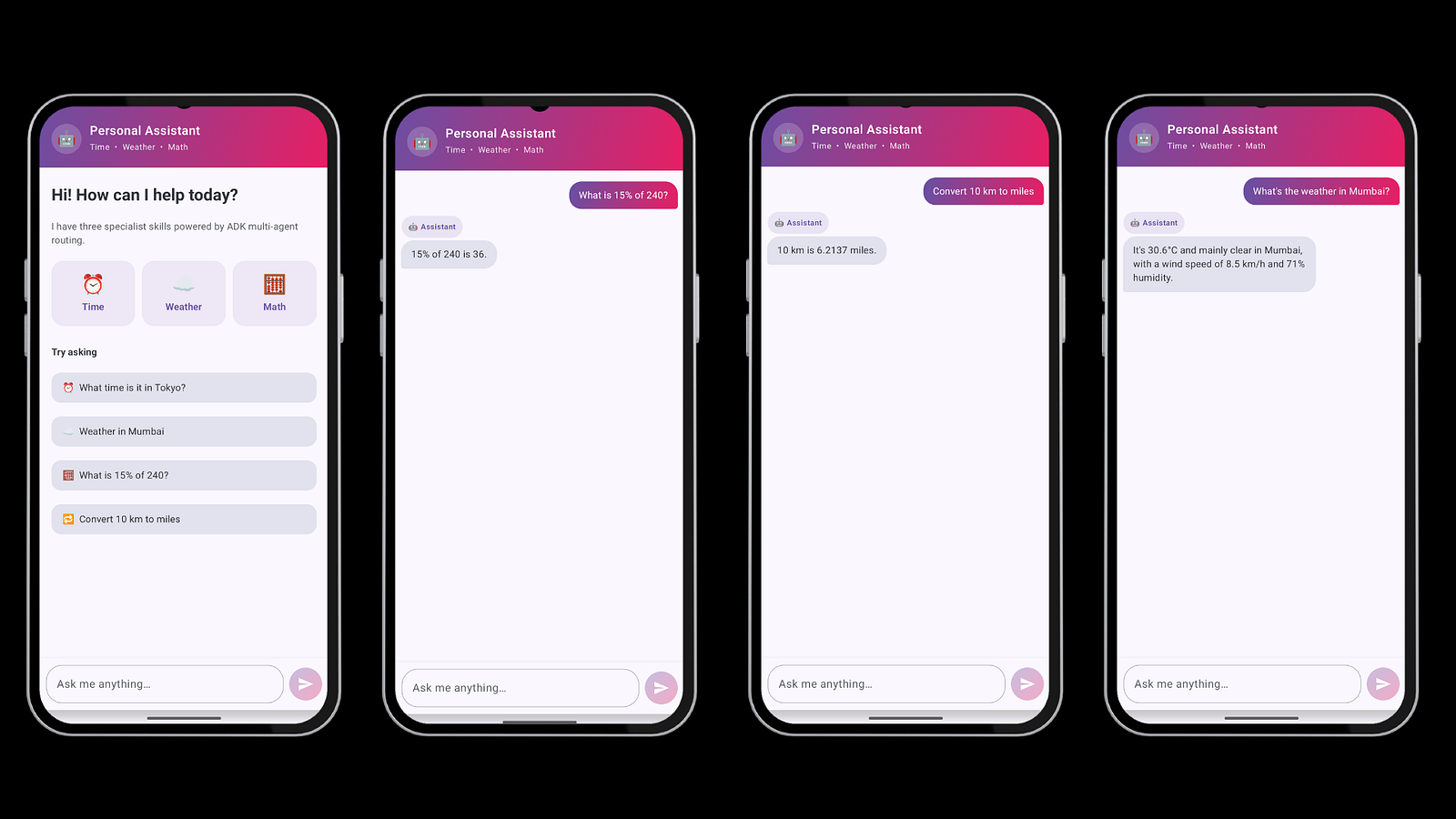
Check demo:
Summary
AI in apps is moving from “a chatbot that talks” to “an agent that acts.” ADK for Kotlin and Android makes that shift practical for everyday Android developers — in a language you already know, with code that runs both in the cloud and right on the device.
The mental model is small: a Runner runs an Agent, which uses a Model to think, Tools to act, Sub-agents to delegate, and a Session to remember. Once that clicks, you can build anything from a simple time-teller to a privacy-first, multi-agent trip assistant.
It’s version 0.1.0 early days. Which means right now is the perfect time to start experimenting, before everyone else does.
Now go build something. Your phone is smarter than you think.
Level Up Your Mobile Developer Interview !
Mastering AI for Android Developers
Your complete hands-on guide to integrating AI into Android apps — covering Generative AI, LLMs, on-device intelligence, AI APIs, real-world use cases, and practical implementation with modern Android development.
👉 Grab your copy now:
https://medium.com/@anandgaur2207/mastering-ai-for-android-developers-5cc6d62e7d21
Cracking the Mobile System Design Interview Book
Your complete practical guide to mastering Mobile System Design Interviews — covering scalable architecture, Android & iOS system design concepts, high-level design strategies, low-level design patterns, performance optimization, offline-first architecture, real-world case.
👉 Grab your copy now:
https://medium.com/@anandgaur2207/cracking-the-mobile-system-design-interview-book-8ff043db0359
Crack Android Interviews Like a Pro
Your complete Android interview preparation book — packed with real questions, deep explanations, and practical insights to help you stand out.
👉 Grab your copy now:
https://medium.com/@anandgaur2207/crack-android-interviews-with-confidence-the-only-handbook-youll-need-b87ec525f19c
iOS Developer Interview Handbook
From Swift fundamentals to advanced iOS concepts — a complete handbook to help you prepare smartly and confidently.
👉 Explore the book:
https://medium.com/@anandgaur2207/crack-ios-developer-interviews-with-confidence-the-complete-ios-developer-handbook-f1eabc3d7a21
Flutter Developer Interview Handbook
Ace your next Flutter interview with scenario-based questions, detailed explanations, and hands-on examples that make you stand out.
👉 Explore the book:
https://medium.com/@anandgaur2207/crack-flutter-developer-interviews-with-confidence-the-complete-flutter-developer-interview-6cb53996832c
React Native Developer Interview Handbook
Crack your next React Native interview with confidence!
This guide is packed with scenario-based questions, detailed explanations, and hands-on examples to help you stand out and succeed.
👉 Explore the book:
https://medium.com/@anandgaur2207/react-native-interview-crack-your-next-interview-with-confidence-0d7255a20fe1
Need 1:1 Career Guidance or Mentorship?
If you’re looking for personalized guidance, interview preparation help, or just want to talk about your career path in mobile development — you can book a 1:1 session with me on Topmate.
I’ve helped many developers grow in their careers, switch jobs, and gain clarity with focused mentorship. Looking forward to helping you too!
Found this helpful? Don’t forgot to clap 👏 and follow me for more such useful articles about Android development and Kotlin or buy us a coffee here ☕
If you need any help related to Mobile app development. I’m always happy to help you.
Follow me on:
More like this
 Android
Building AI-Powered Android Apps with Gemma
AI is no longer limited to servers or cloud APIs. Today, you can run powerful mo...
 Android
Google I/O 2026 for Android Developers
If you watched the main Google I/O 2026 keynote on May 19 expecting Android news...
 Android
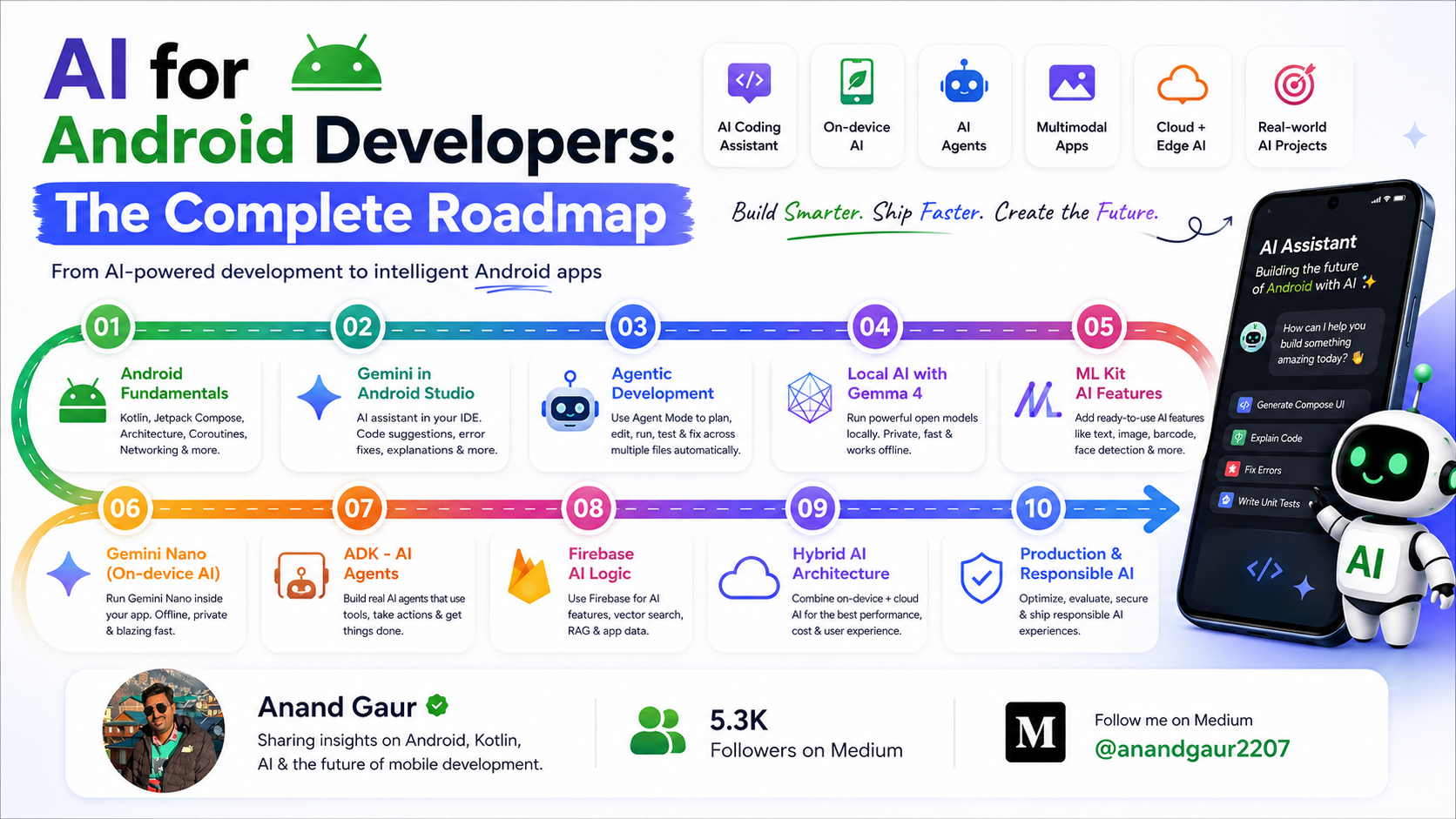
AI for Android Developers: The Complete Roadmap
How to use AI to build Android apps faster and how to build AI features into you...